En Cartelera: sell your venue’s tickets and run the door
Your events, your tickets, your door. Publish the event, get paid the way you already do and scan QR codes with a phone.
Your event, your payments and your door on one phone
En Cartelera is the tool for a small venue to sell tickets to its own events, get paid and run its door from a phone, with no printed lists or highlighters. It is for bars with live music, event halls and ranches, neighborhood clubs, small theaters and independent organizers who sell dozens or hundreds of tickets per event.
The app is in Spanish and built for Costa Rica.
- One link per event to paste into WhatsApp, Instagram or your poster.
- Get paid the way you already do: automatic card and SINPE Móvil with ONVO, or SINPE, bank transfer and cash by hand.
- Each QR works once and you scan it with an ordinary phone.
Availability: today En Cartelera serves venues in Costa Rica. There is no date for serving other countries.
From setting up the event to closing the till
What you need for the night to run.

Events with zones
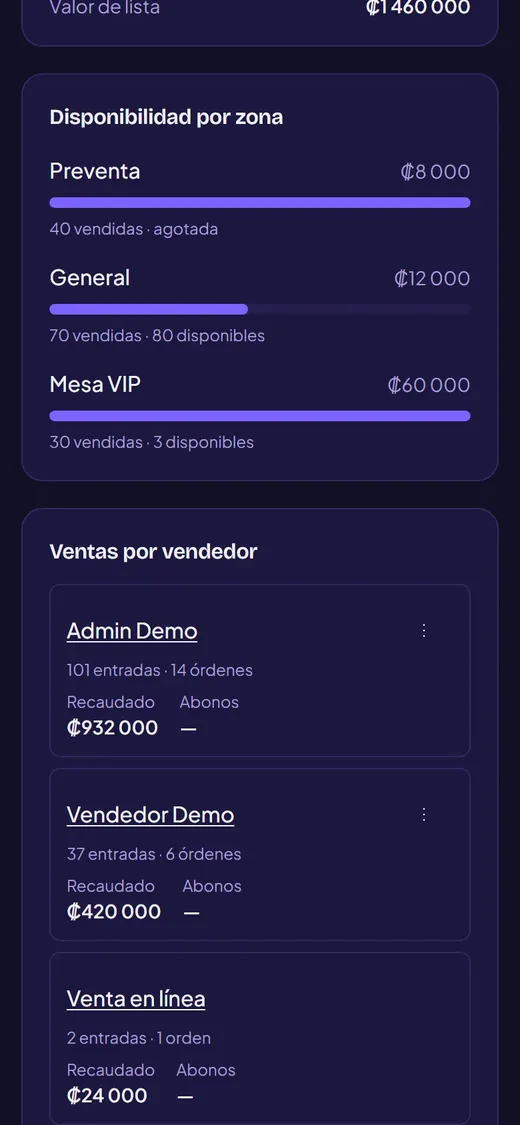
Create zones (general, VIP, table) with their price and an optional cap. They can open in stages, by date or when another zone sells out. A table is one unit and every person gets a QR.

Payments your way
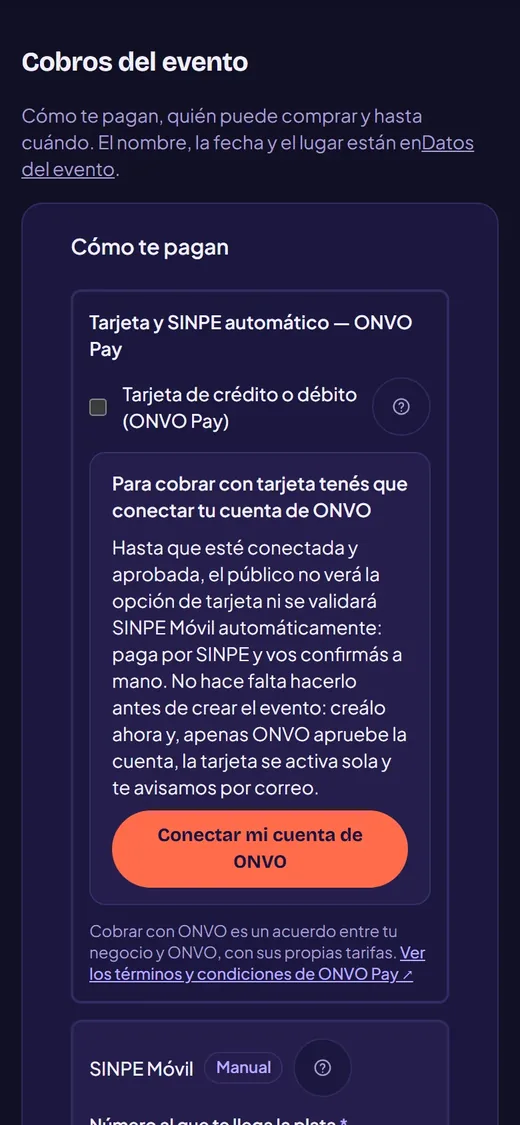
You choose event by event: ONVO Pay (card or SINPE Móvil confirmed automatically) or manual, where the buyer pays by SINPE or transfer and you check the receipt. At the box office, cash.

Tickets with QR
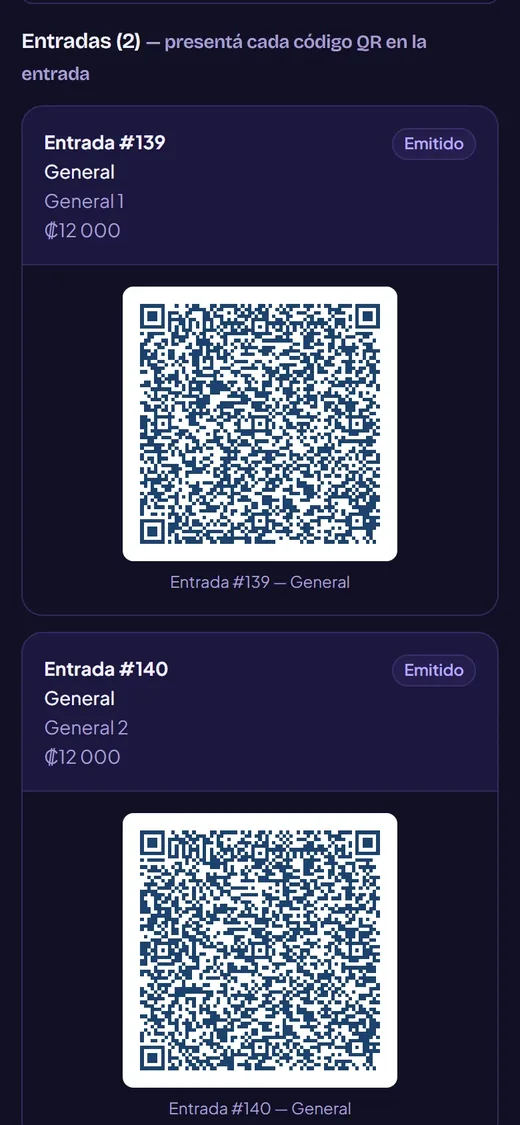
Each ticket reaches the buyer’s phone by email, as a PDF and in “Mis entradas”. Nobody signs up before seeing the prices.

A phone at the door
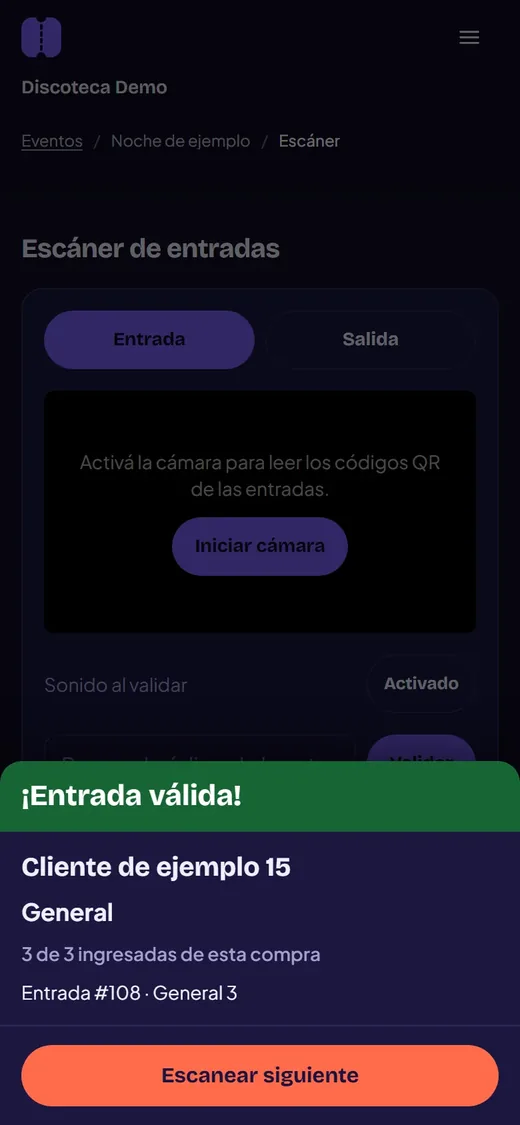
Scan entries and exits with the camera, no equipment. If a code was already used, the screen says so. Several people can scan at once.

Your team, per event
Invite sellers and door staff for each event only. A seller takes orders and confirms payment; the door person scans and never touches the money.

Live report
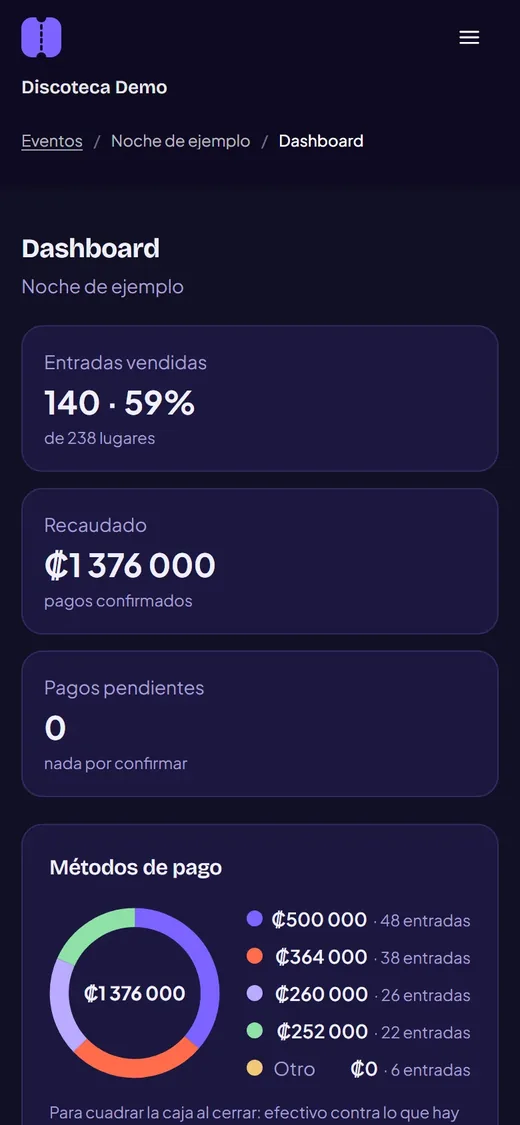
Sold, collected, already inside and orders to review while the event happens. At close, a breakdown by payment method, zone and seller.

Discounts and comps
Percentage discounts with a cap, box office comps, hidden stages and a “N left” notice.

Optional public listing
You decide whether the event appears on the public listing or is sold by link only.
From the event to the door
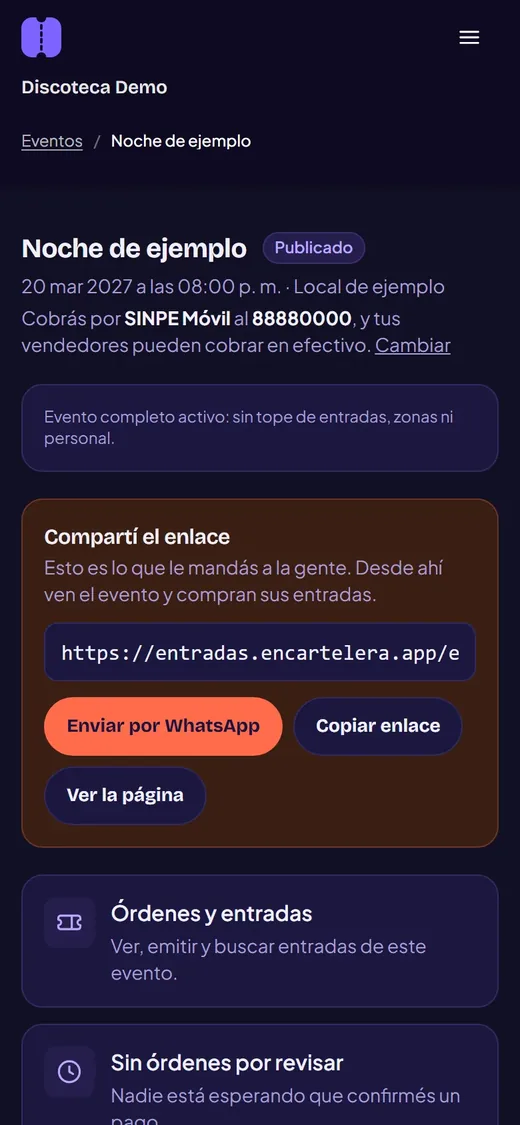
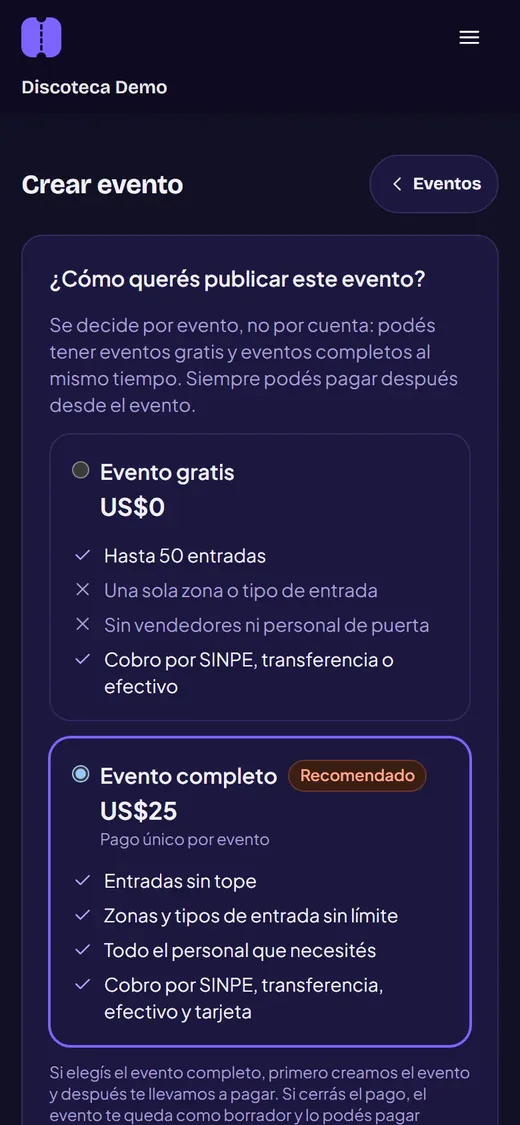
Real screenshots of the app on a phone, with a sample event. The app is in Spanish.
Five steps
Set up the event
Name, date, place and zones with their price. When you publish, you get a link.
Choose how to get paid
ONVO Pay or manual, event by event. With ONVO, spots are held for an hour and the ticket issues itself.
The ticket reaches the phone
One form and one QR per ticket, by email and in “Mis entradas”.
Scan at the door
With an ordinary phone. Each code works once.
Follow the night
Sold, collected and checked in, live, and the breakdown at close.
One price per event
Prices as published by En Cartelera.
Free event
US$0
- Up to 50 tickets
- One zone
- Manual payment: SINPE, transfer or cash
Full event
US$25 · per event
- No ticket cap and unlimited zones
- Seller and door team
- Card and automatic SINPE payment (ONVO)
- One-time payment per event; discounts when you buy several
What is charged per payment
1% online only
- En Cartelera charges 1% on online payments through ONVO; ONVO deducts it from the payout
- No En Cartelera fee on manual SINPE Móvil, transfer or cash
- ONVO has its own fees, paid by the venue
About ONVO: ONVO’s fees, which the venue pays and ONVO may change, are currently 3.9% + US$0.35 per card transaction and 1.5% for SINPE Móvil, according to the rates ONVO publishes at onvopay.com/pricing. The money goes from the buyer to the venue’s account. To connect ONVO, the venue verifies its business with ONVO; until then only manual payment shows.
Your questions, answered
Other products
Central de Mensajes
One inbox for your messages and an AI assistant that replies 24/7, books appointments and tracks orders using your business information.
See Central de MensajesRedesIA
Builds your content calendar every month with AI: idea, caption, hashtags and a branded image, and schedules it to Instagram and Facebook.
See RedesIAHave an event in Costa Rica?
Create your first event or book 30 minutes and we will set it up together.